Adding a Farm
The first step in using the Fieldprint Platform is to set up your Farm. A “Farm” in the Platform serves primarily as a container for your Fields. However, there are several important management tasks you can perform at the Farm level.
Add a Farm
To add a new Farm:
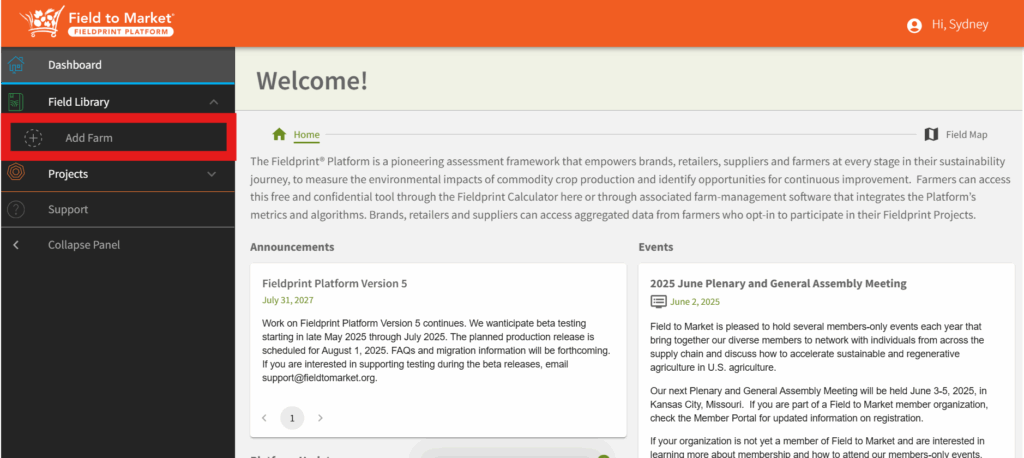
- From the right-hand navigation menu, select “Add Farm.”
- Give your farm a descriptive name (e.g., “Smith Family Farm” or “East Fields”).
- Click “Save and Add New Field.”

Farm Management
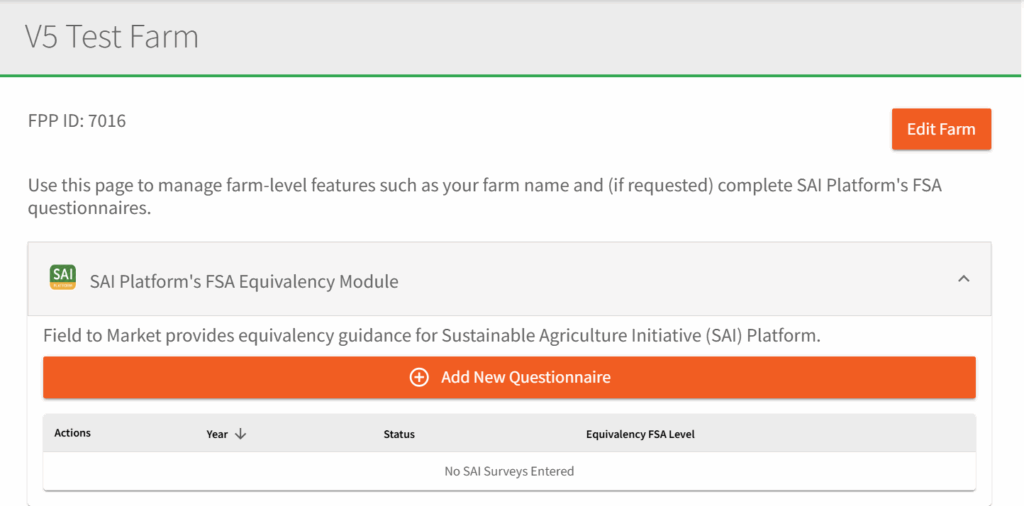
Once your Farm is created, you can rename the Farm at any time and delete the Farm. If you do delete the Farm, please note that this will delete all associated Fields and Crop Intervals.
From the Farm page, you can also complete additional Farm-level surveys. This is especially important if you are part of a Fieldprint Project that is participating in Sustainable Agriculture Initiatives’ Farm Sustainability Assessment. You can complete the SAI Platform’s FSA Equivalency Survey in this area of the Platform, when requested by your Project Administrator.
0 Comments