Delegate Access
If you need support or would like to allow another user to enter data on your behalf, you can delegate access to another Fieldprint Platform user. Delegated users will have full control of your account except that they cannot access or modify your user profile or reassign delegate access. You can revoke delegate access at any time.
For example, you may engage with a Soil and Water Conservation District or Certified Crop Advisor (Implementation Partner) that will enter data on your behalf. This includes adding, modifying and deleting farms, fields, and crop years; entering, modifying and deleting field level input data information for a crop interval to include land, location, agronomic and management information and generate, export and access your Fieldprint Results and field level input data.
Individual Delegate Access
Once logged in to your account, access the Delegate Access feature from the Profile menu at the top right of the page.
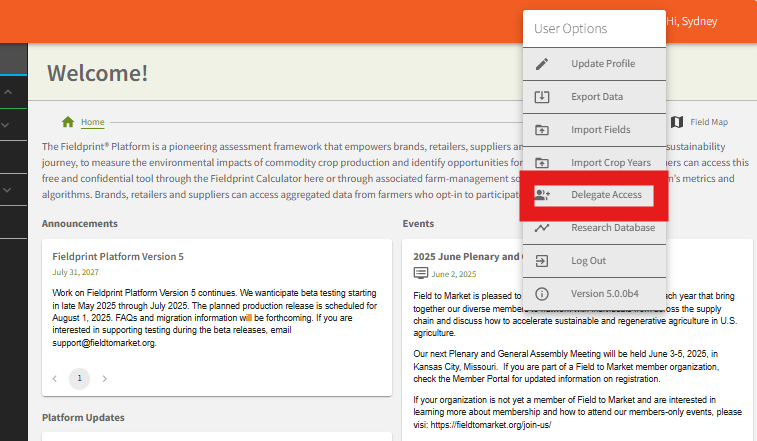
Enter the email address for the account to which you want to delegate access. The user will receive an email to accept the request.
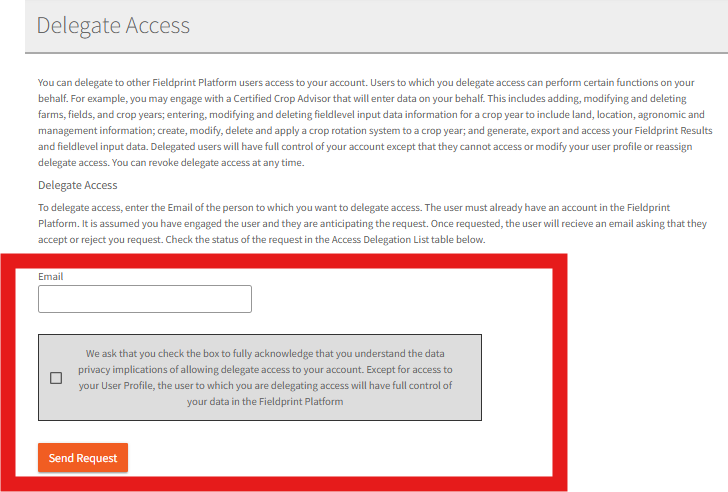
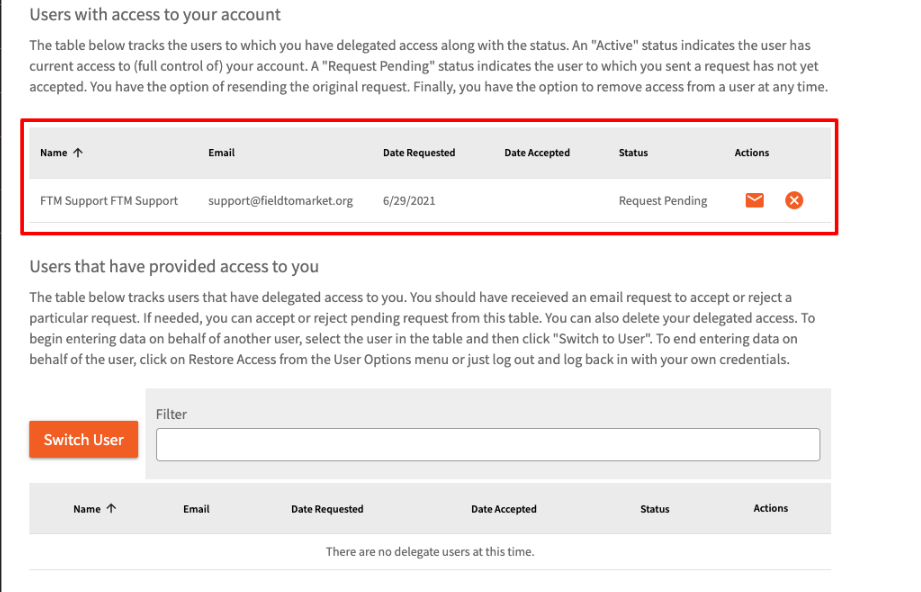
You can check the status of a request and remove access from the same page.
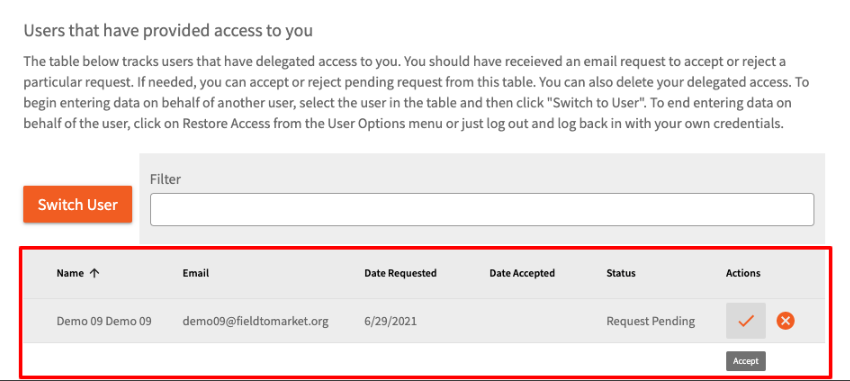
Alternatively, someone might delegate access to you. In the screen capture below, user Demo 09 sent a delegate access request. Click the check mark to accept.
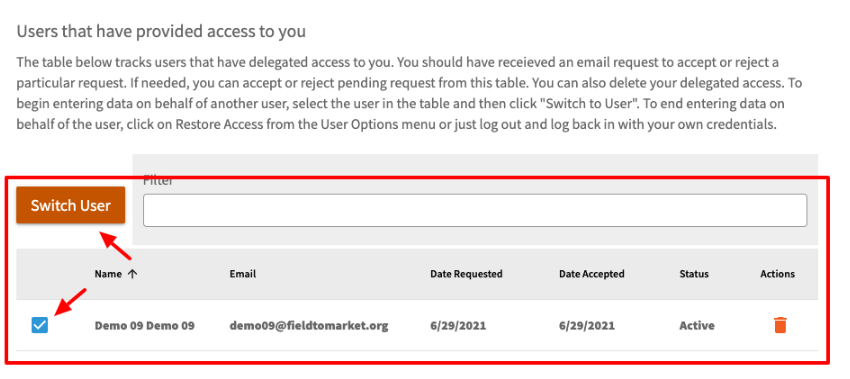
Once accepted, you check the desired user and then click Switch User. While in Delegate Access mode, you will be working on behalf of the other user. Some functionality is limited (e.g. you can’t delete a farm).
Note in the screen capture below the Platform is showing delegate access from user Demo Farm 09. To restore access back to your own account, return to the Profile menu and click Restore Access.

Bulk Grower Upload and Delegate Access
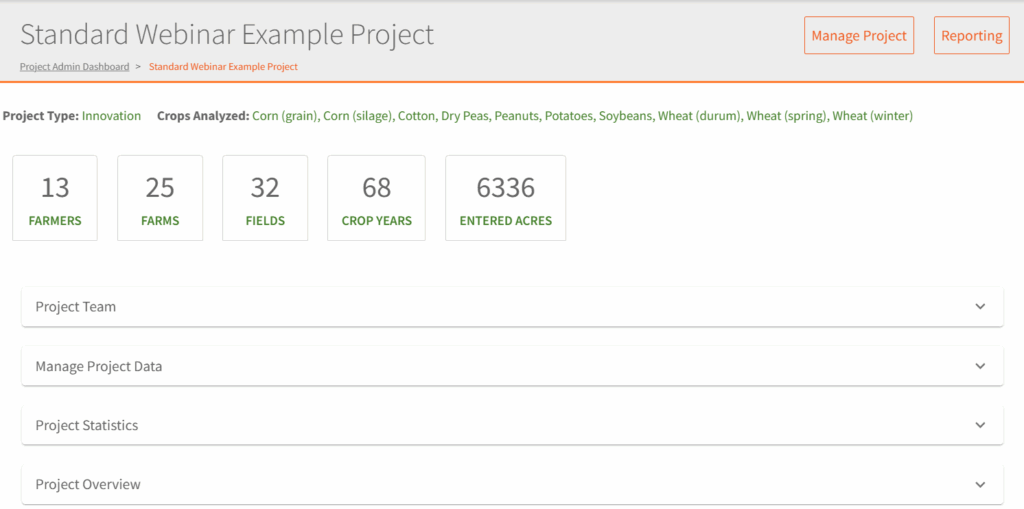
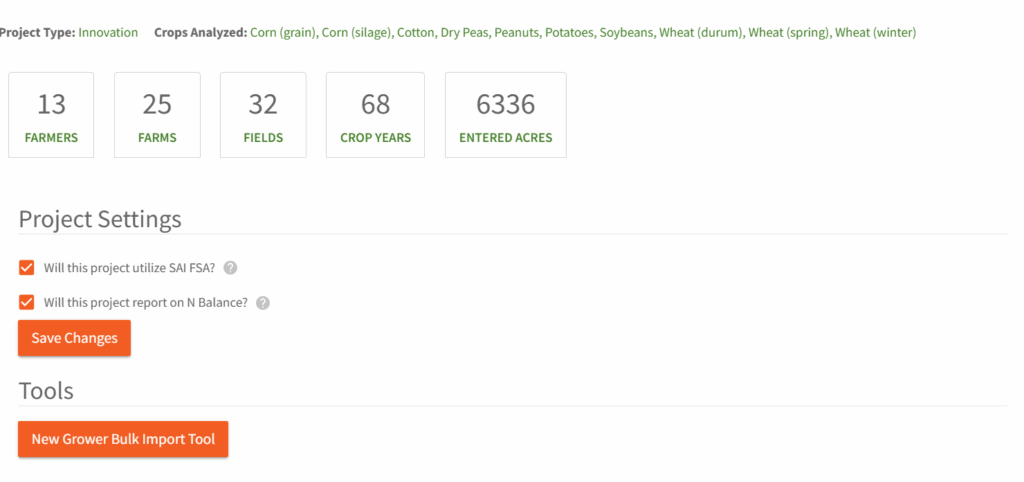
Project Administrators have the ability to bulk upload and assign delegate access to themselves for grower accounts. This is done through the Manage Project section of the Project.
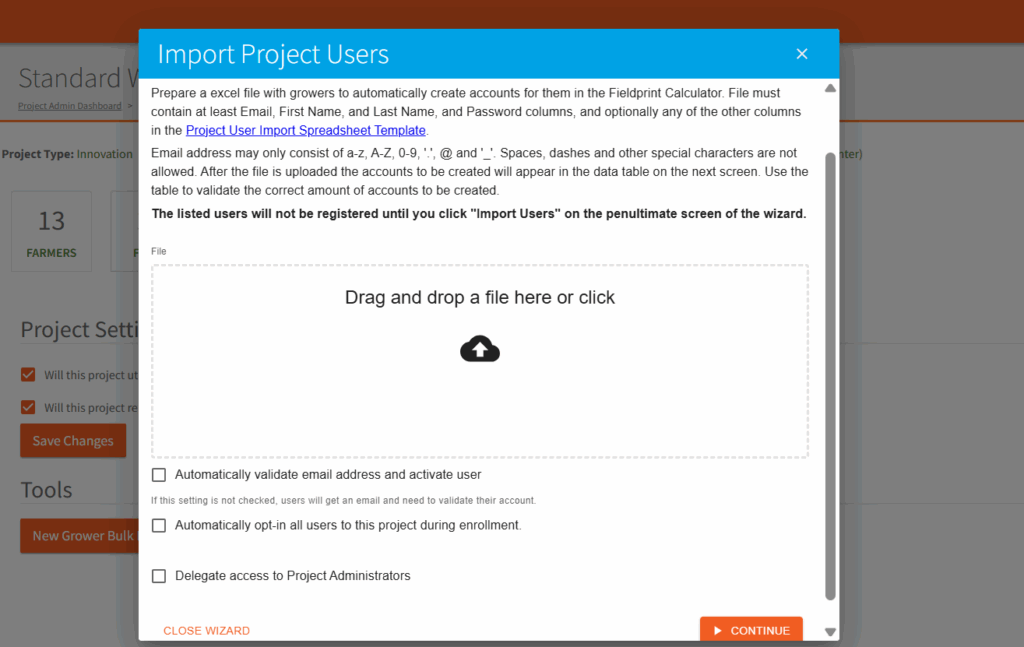
Use the New Grower Bulk Import Tool. Download and complete the spreadsheet as directed. Upload the spreadsheet and check Delegate access to Project Administrators box. Click Continue to complete the process.