Export Data and Reports
In addition to the Fieldprint Analysis, users and project administrators can export data and reports from one or more crop intervals, if working directly in the Fieldprint Platform and not through a QDMP. These exports provide insight into the field and project and use crop years that are finalized and calculated with the latest metric version.
Individual User Exports
Individual users can currently download a pdf version of their Fieldprint Analysis for each crop interval where an analysis is available.
Fieldprint Project Exports
Fieldprint Project Administrators are able to export grower data and various reports to better understand the impact of the project. These reports and data exports provide insights into the sustainable outcomes being achieved through the adoption of conservation practices. To see a detailed list of the available reports, please consult the Fieldprint Project Report Descriptions article. To learn how to generate these reports in the Fieldprint Platform, continue reading.
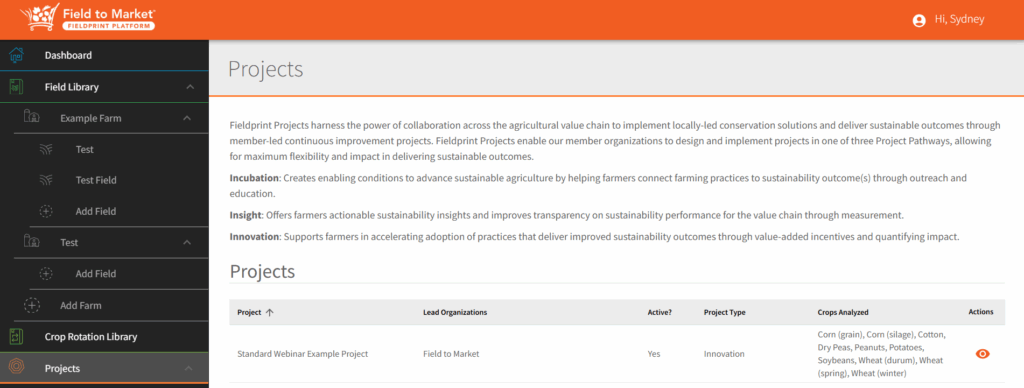
- View your project through the Projects Tab.
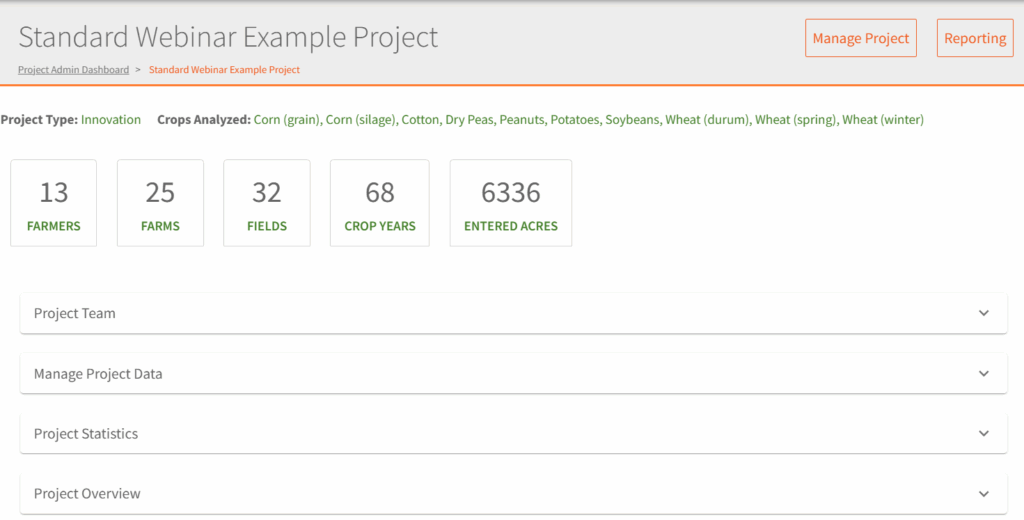
- Click the eye icon to enter the project admin dashboard. In the Project, you can view quick stats on the projects, such as the Project Type, Crops Analyzed, Famers, Farms, Fields, Crop Intervals, Entered Acres, Project Team Members, Project Data (Benchmarks), Project Stats, and Project Overview.
- Click the Reporting button in the top right-hand corner to access the available reports.
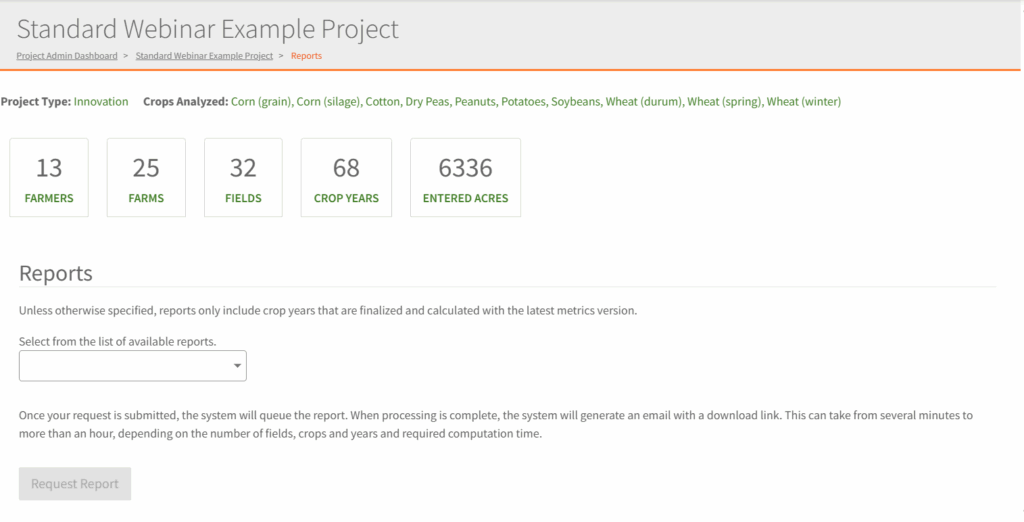
- Select the desired report for the drop-down menu. Choose the desired filters for the report, such as crops and years.
- Click Request Report button and check your email for the report link. It can take from several minutes to more than an hour, depending on the number of fields, crops and years and required computation time. Note that for Fieldprint Project Reports, the timeframe is 3-5 business days to generate this report.