Copy Field Interval Data
The Copy Field Interval action allows you to duplicate crop management and interval data from one field to multiple other fields within the same account. This feature is especially useful when fields share similar growing seasons or management practices, helping you save time and maintain consistency across farms. This ensures consistent reporting and reduces manual data entry for similar fields.
Use this feature when:
- Multiple fields have the same or very similar crop management practices
- You want to apply the same data across multiple crop intervals
- You are setting up new fields that mirror an existing field’s management
Step-by-Step Instructions
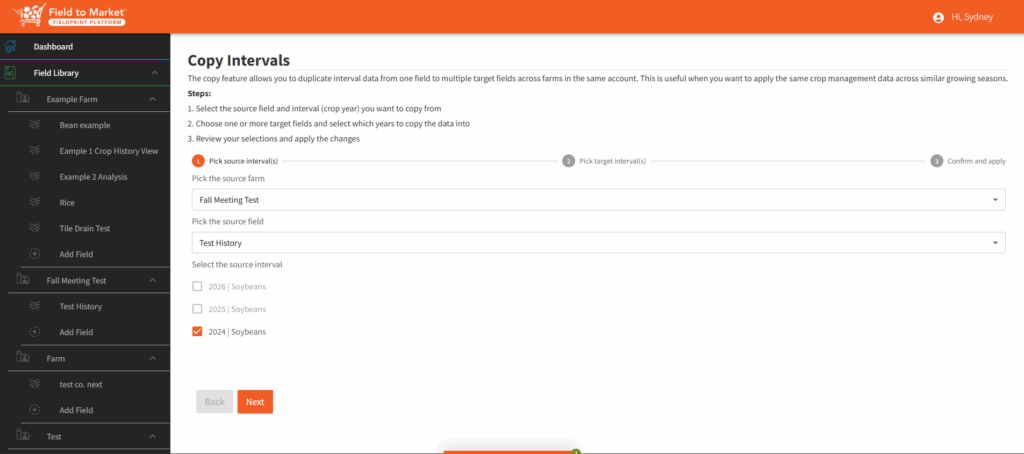
Step 1: Select the Source Field and Interval
- Navigate to the field that contains the interval (crop year) you want to copy.
- Select the specific interval (crop year) that includes the data you want to duplicate.
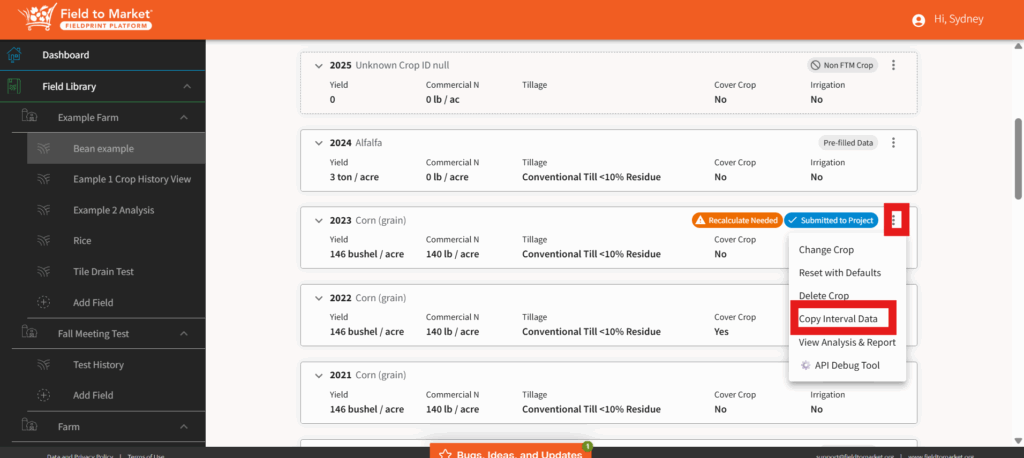
- Choose the Copy Field Interval action. This source interval will serve as the template for all selected target fields.
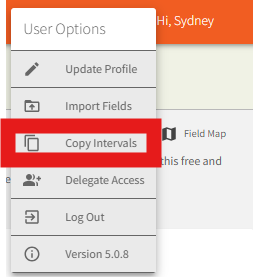
Or you can enter the Copy Intervals wizard using the User Options menu.

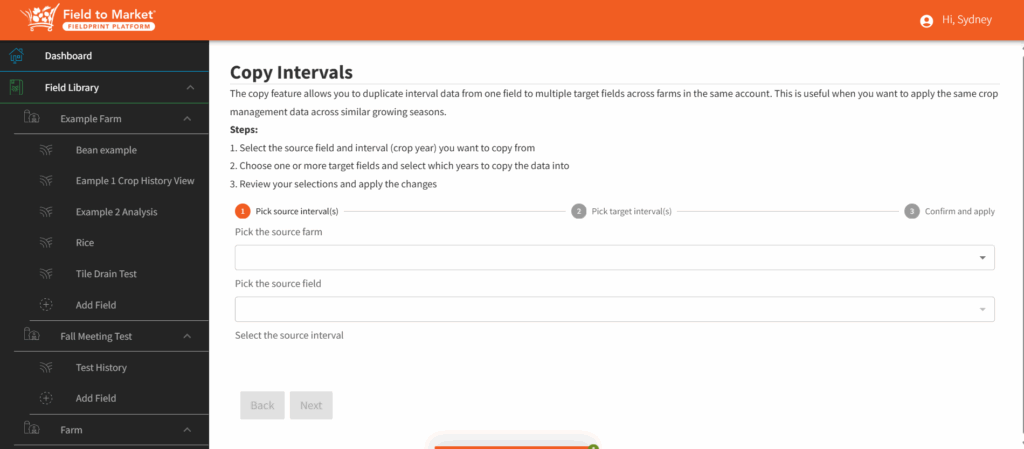
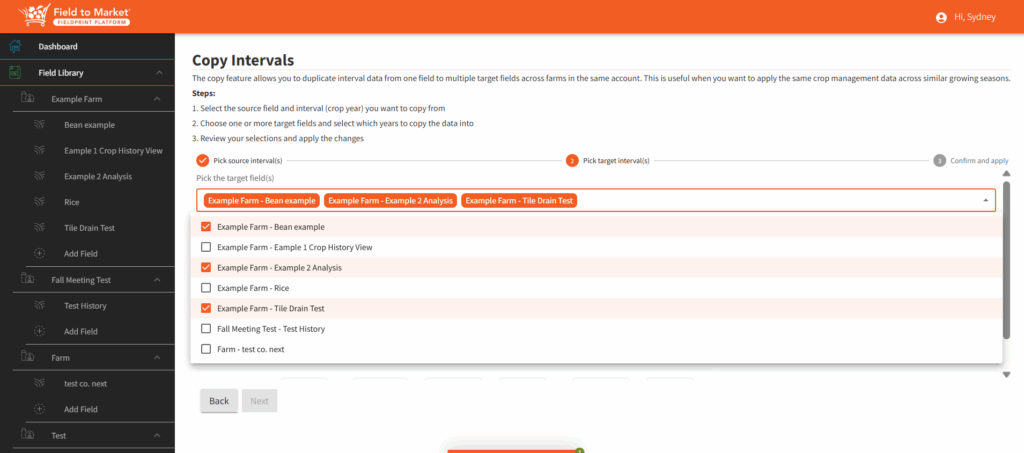
Step 2: Choose Target Fields and Years
- Select one or more target fields where the data should be copied.
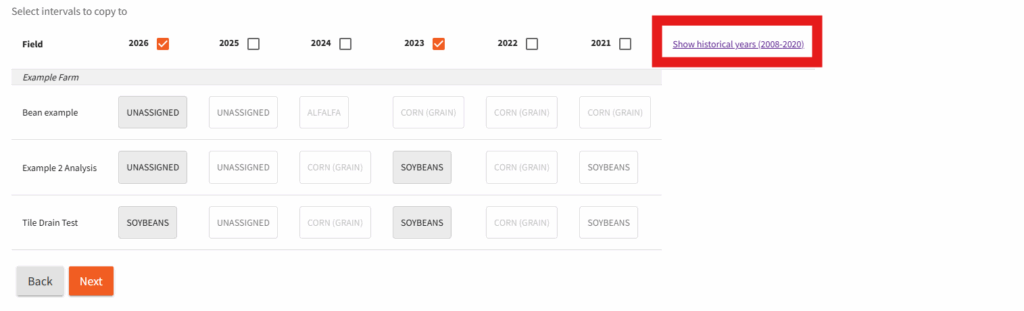
- For each selected field, choose the crop year(s) into which the data will be applied.
You can copy the same source interval into multiple fields and multiple years at the same time. Please note that you can copy to a future year (unassigned) or to a past year for the same crop. To see additional past years, click on the show historical years option.
Step 3: Review and Apply
- Review your selections carefully, including:
- Source field and interval
- Target fields
- Target crop years
- Confirm that the data being copied aligns with your intended use.
- Apply the changes to complete the action.
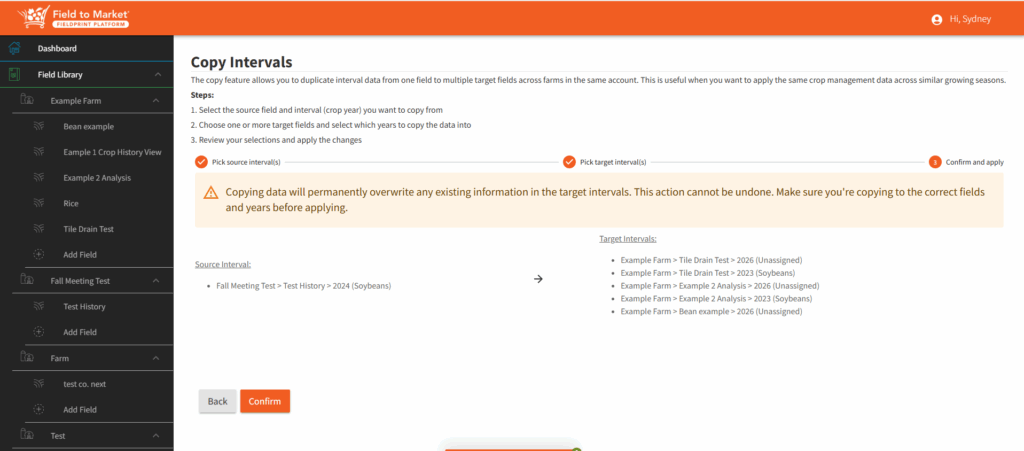
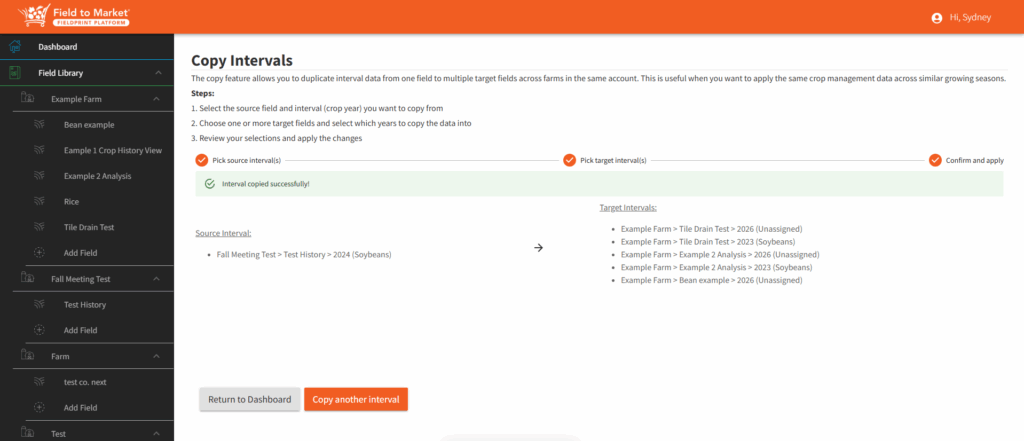
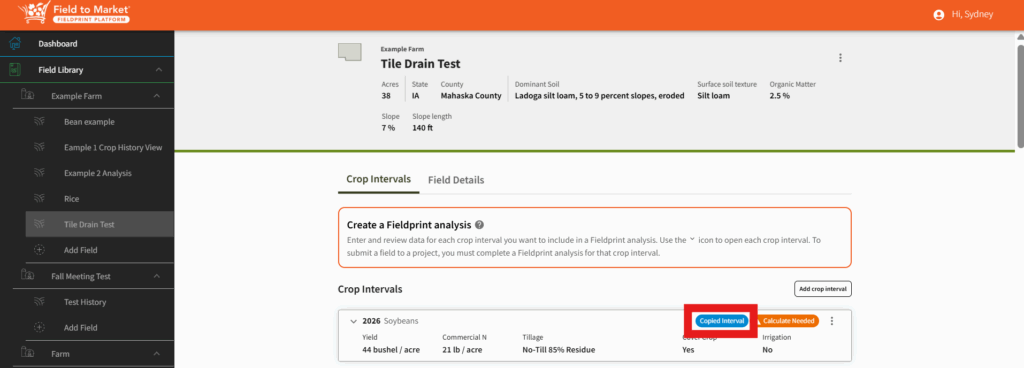
Once applied, the selected interval data will be duplicated across all chosen fields and years. The duplicated interval will have a marker in the crop history view letting you know the interval has been copied.